+
Automatic onboarding
Huawei VRP, Hillstone and Cisco IOS. Give an IP and a read-only account; model, version and health metrics are detected.
Not another wall display. Device onboarding, LLDP topology, rack units, port traffic, endpoint location and config backups — six jobs in one interface. Runs on your own server or NAS; no data leaves your network. Priced per device per year, no implementation fee.
10-day trial / 100 devices · Refundable within 7 days if not activated · Software only
No 3D data centre, no vanity dashboards. Each page answers one question: where is it, is the port up, who changed the config.
Huawei VRP, Hillstone and Cisco IOS. Give an IP and a read-only account; model, version and health metrics are detected.
Links discovered automatically with port names drawn on the line. Devices without LLDP can be linked by hand.
Which rack, which unit, front or rear — matching the room. Check free space before you carry a switch over.
Type an IP or part of a MAC and get the access switch, port and VLAN. When a MAC appears on many uplinks, only the access port is flagged.
In/out rate, errors and drops per port, kept as history. Threshold alerts follow rules and can push to email or an API.
Configurations pulled on a schedule and diffed. See who changed what, and which lines moved.
Subnets, used, free and conflicts, matched against ARP and MAC tables. Scanned hosts point back to their switch.
Carrier circuit, peer, bandwidth, loss and latency in one place. Check the system before calling the carrier.
SSH to devices from the browser, with session recording. Dangerous commands (reload, erase, undo) are blocked until confirmed.
Taken from a test environment, unretouched.
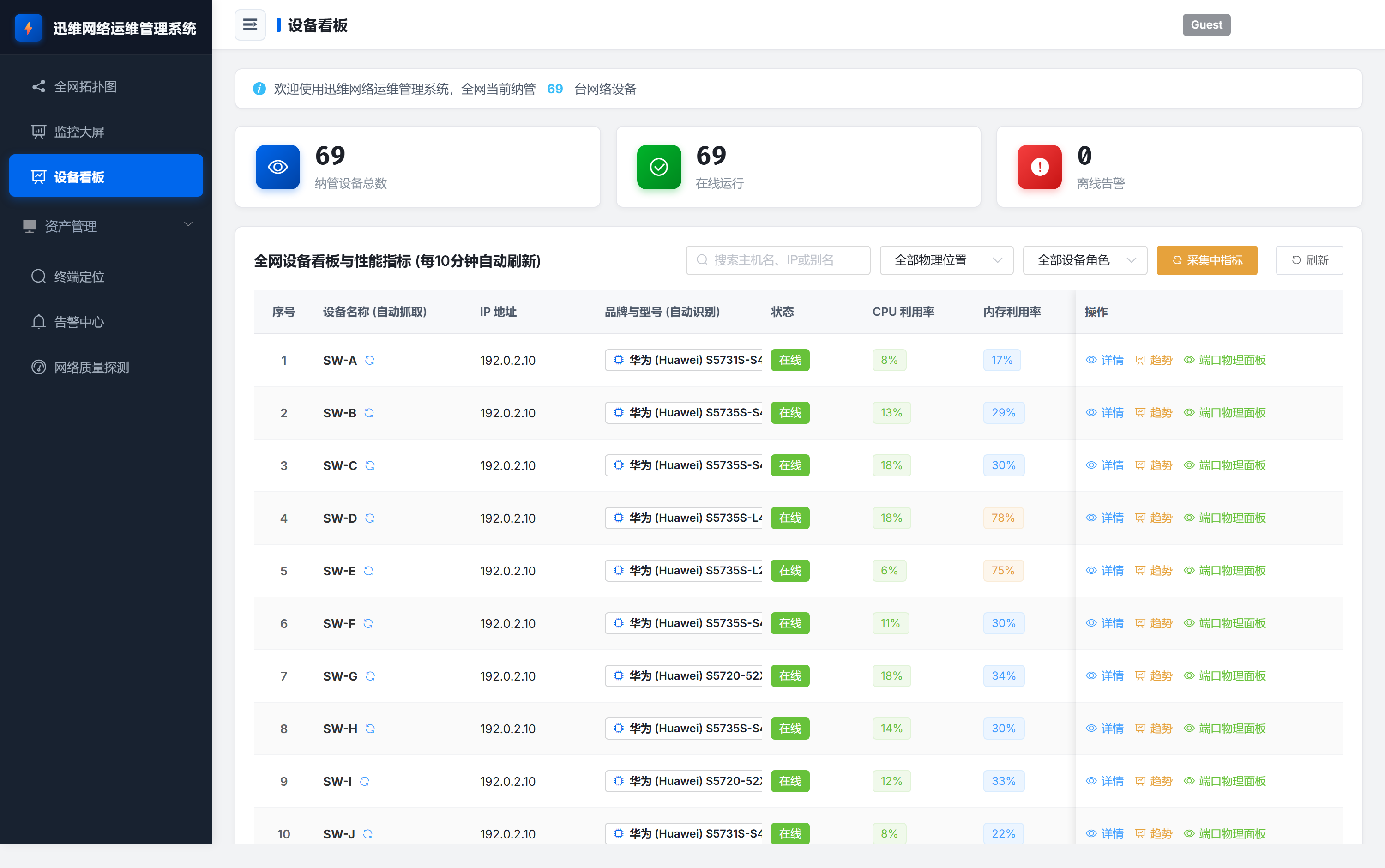
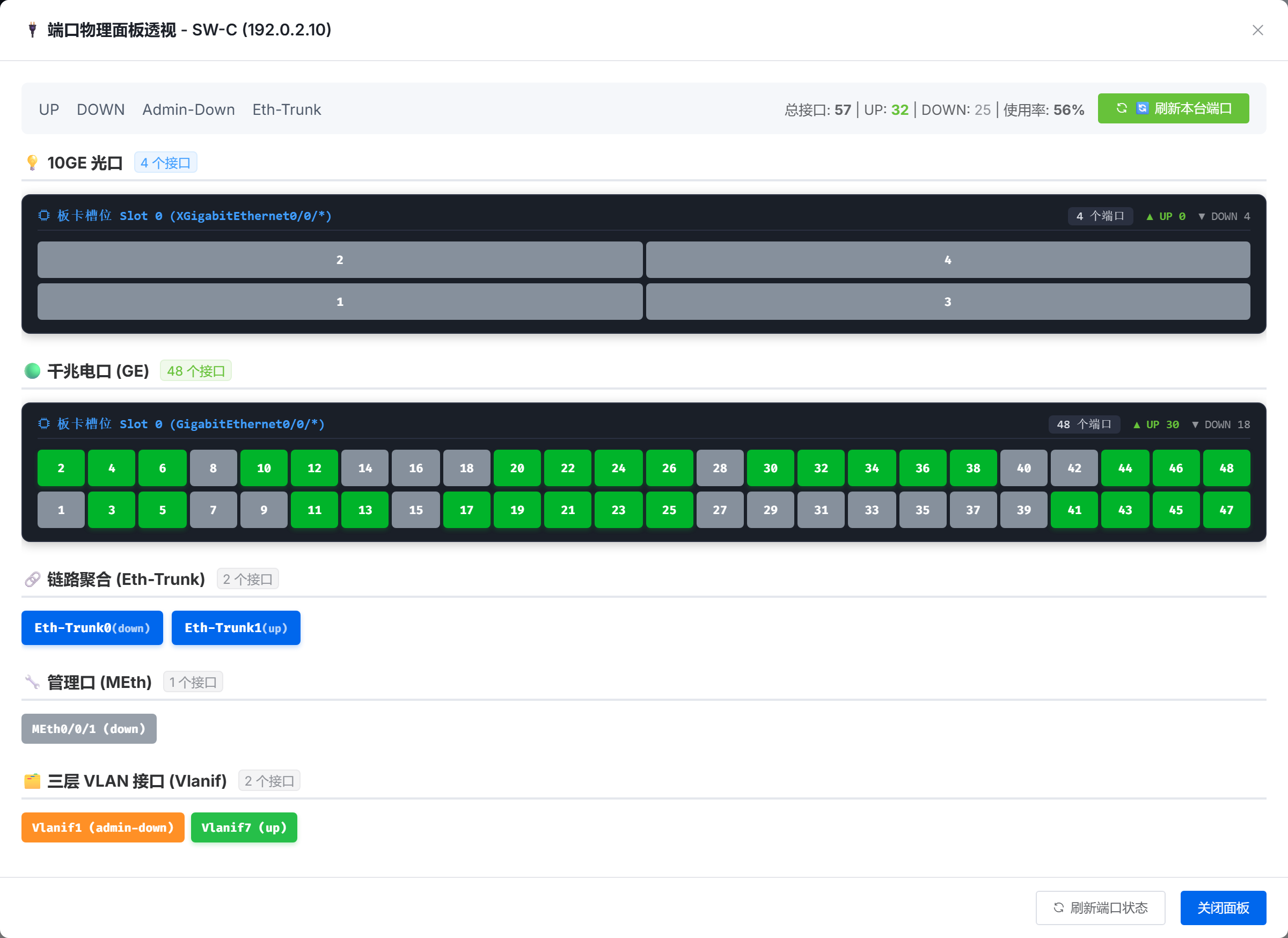
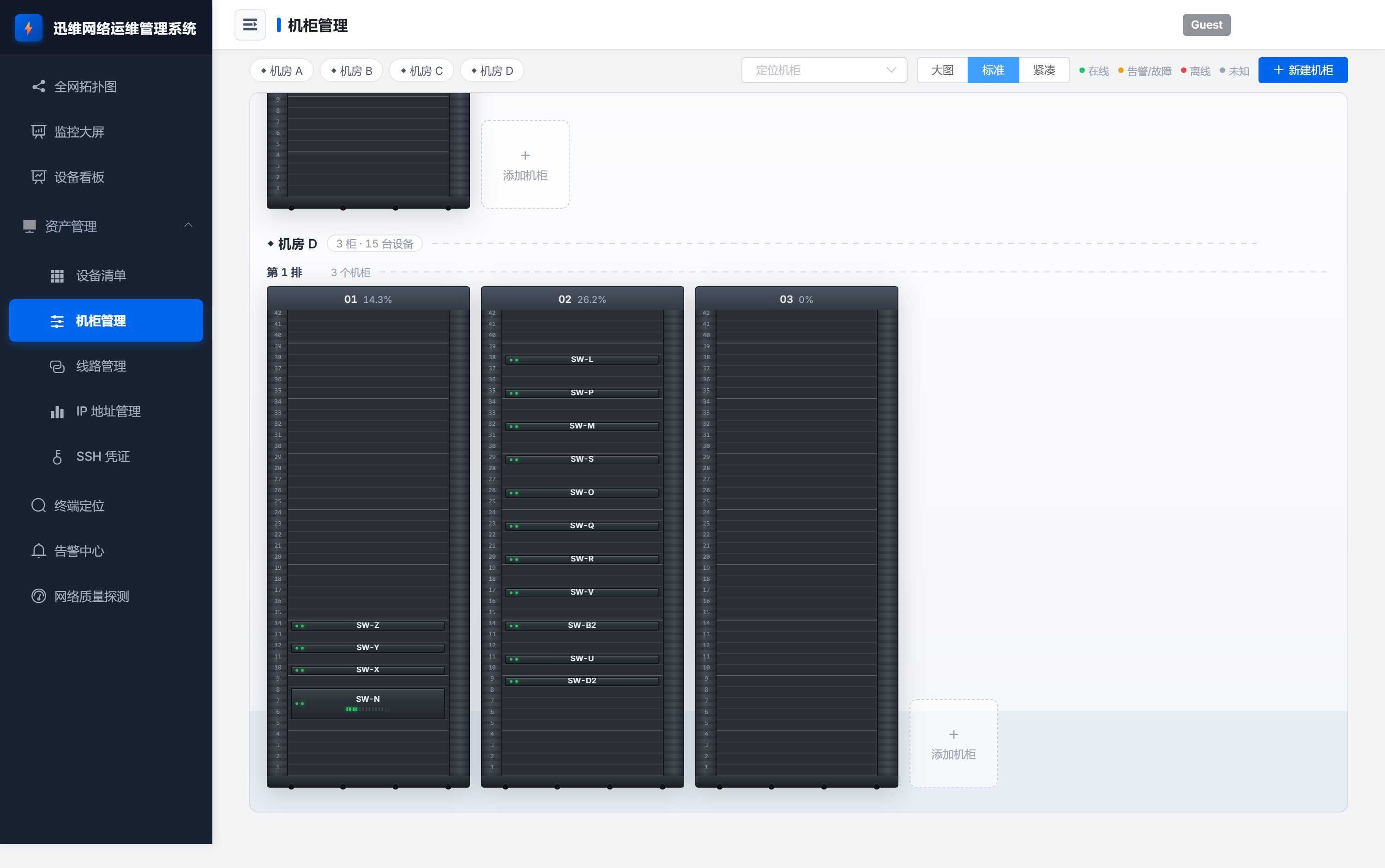
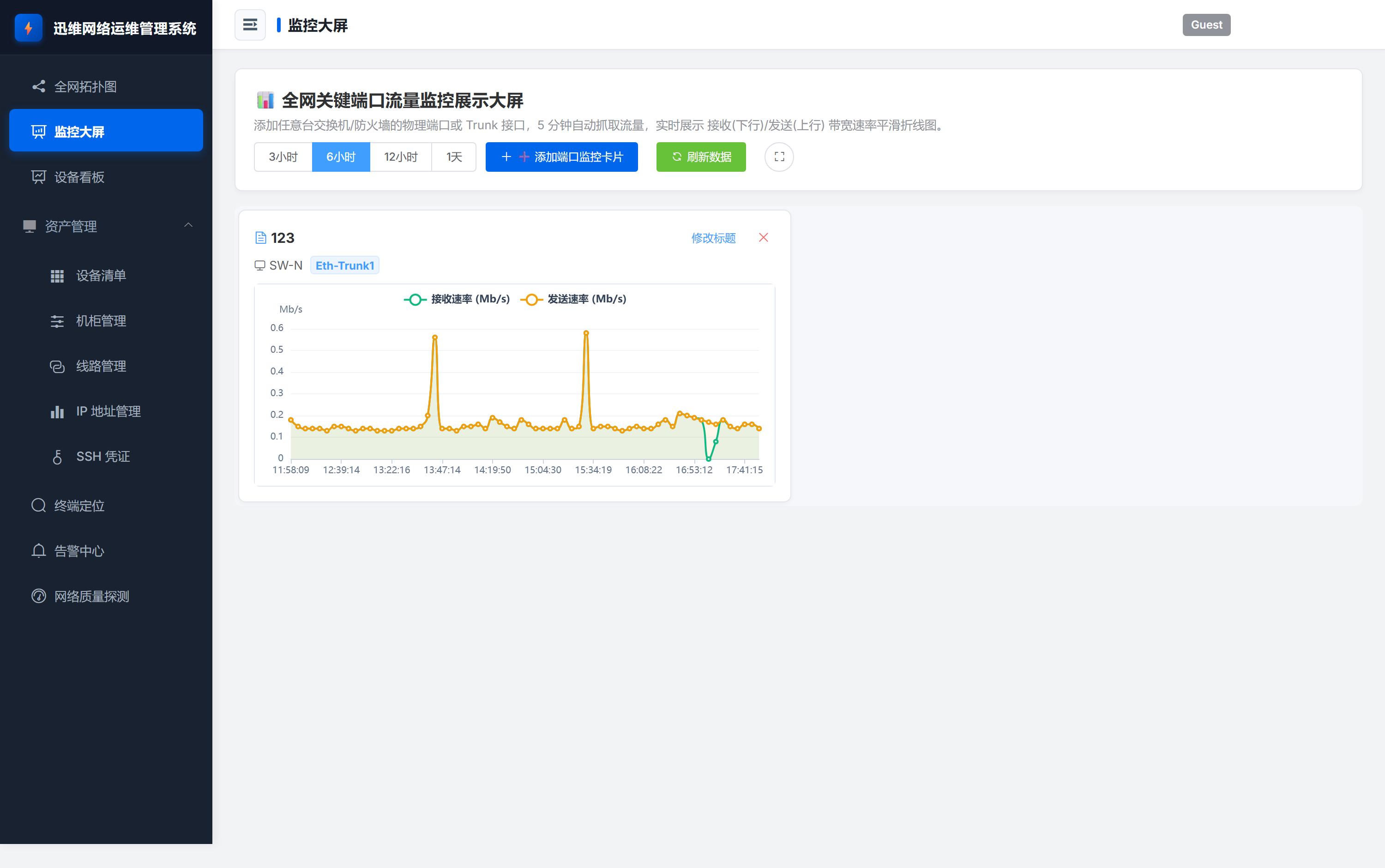
Sanitised: hostnames replaced with codes such as SW-A, addresses written as
192.0.2.x (RFC 5737 documentation range), MACs as 0000-0000-0000,
sites as “Site A / B”, racks as RACK-01. The topology view is not included
because its labels are drawn on a canvas and cannot be rewritten reliably.
A 2-core / 4 GB server or a NAS is enough. Data, accounts and topology stay on the box.
One command, two mounted directories, upgrade by pulling a new tag.
For networks without internet access: one archive, managed by systemd, no public repos.
SNMP v2c or v3 with a read-only account for switches; add SSH read-only for firewalls. Topology relies on LLDP — if it is enabled it appears automatically, otherwise links can be drawn by hand.
2 cores / 4 GB for up to 100 devices; 4 cores / 8 GB beyond 300. Docker on a NAS, or the offline package on a server.
General platforms can collect anything, but topology, rack units, port panels and endpoint location need templates and glue. Those four are the whole product here — the trade-off is we do not monitor hosts or applications.
Priced by managed device count, renewed yearly and bound to a machine code. Moving to a new server is free once — send the new code.
No. Everything runs in your environment. Only what you choose to attach to a support ticket leaves it.
The trial is fully featured: 10 days, 100 devices. If it will not install, contact us — or ask for a refund.